
Invite from My Account → Team
The admin opens the team panel, enters the email, and selects which permissions to grant. Predefined templates (Full access, Standard, Read only) or fully customised.
Invite your co-founder, accountant or assistant to the Aiden Startup dashboard. Permissions per section and action. A shared workspace. Zero passwords passed around in chats.
Invite whoever you need. Control what each person can do.
The admin opens the team panel, enters the email, and selects which permissions to grant. Predefined templates (Full access, Standard, Read only) or fully customised.
A branded Aiden email inviting them to join your company's workspace. The link is unique and temporary. They set their password in 30 seconds and they're in.
Same dashboard as the admin's, but filtered: tabs without permission don't even show up. A badge in the header shows they're in someone else's workspace. No room for confusion.
Invitations
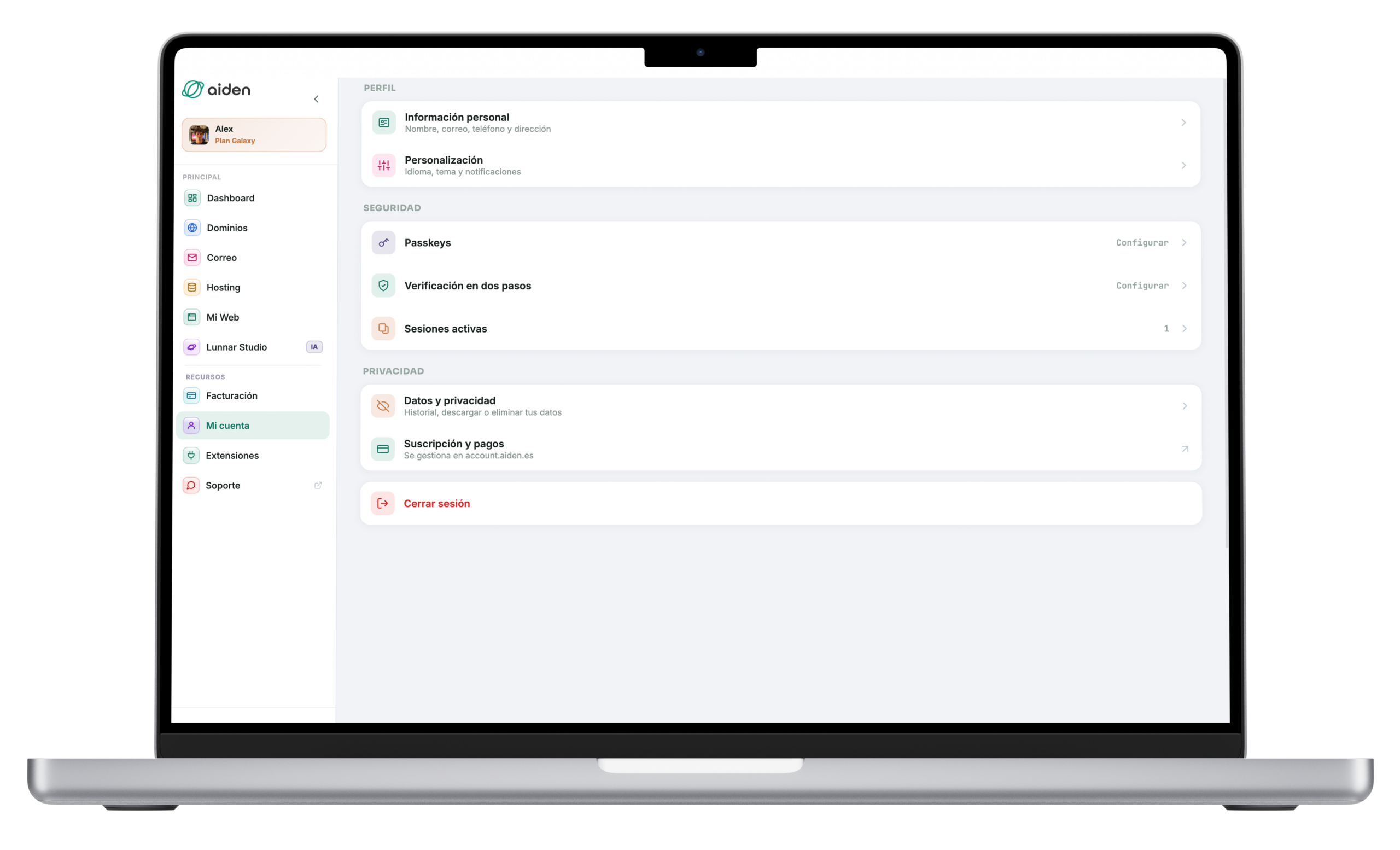
You invite by email from My account → Team. Each member receives a unique, temporary link, sets their own password and gets in.
No per-member fee: the feature comes with the PRO plan and only the admin pays their subscription.
Roles with templates
You start from a template — Full access, Standard or Read-only — or customise permission by permission, per section and action.
You change them whenever you want from My account → Team, and they apply instantly.
With your plan
Teams comes with the PRO plan, in the UK and Delaware, with no per-member fee.
Only the admin invites and revokes; a revocation takes effect instantly and your data stays intact.
If you step down from PRO, members are paused and reactivate automatically when you return.
Included in the PRO plan of both jurisdictions; on Standard the dashboard is individual.
Each member has a set of permissions that controls which tabs they see and which actions they can take. Start with a template or customise every detail.
Example: a founder with an external accountant, who used to email PDFs over every quarter.
With Teams: the accountant has read-only access to Books and Taxes and closes the quarter directly from the dashboard, without waiting for files.
Example: two co-founders splitting product and business.
With Teams: both have full access to the same workspace: they invoice, view taxes and manage the company with the same capabilities.
Example: a founder with an assistant who helps with day-to-day invoices and expenses.
With Teams: the assistant only has permissions to create invoices and record expenses. They see no taxes or sensitive company data.
Example: a scale-up with an advisor who reviews the numbers every quarter to advise.
With Teams: the advisor gets read-only permissions. They see the financial health without being able to change anything.
No extra cost. No separate package. If you're on PRO (UK or Delaware), you already have Teams at your disposal.
The Standard plan is for founders only. If you need to invite your team to the dashboard, you'll need to upgrade to PRO.
PRO includes all of Teams: invitations, permissions per section and action, and predefined templates. No extra cost per member.
Available in both jurisdictions:
No. Teams is included in the PRO plan at no extra cost. Invite as many members as you need — co-founders, accountant, assistant, advisors — and only the admin pays for the PRO subscription. There's no per-user fee.
Teams comes included in the PRO plan, both in the UK and Delaware. The Standard plan is for solo founders and doesn't include the ability to invite members. If you want a team, you'll need to upgrade to PRO.
Their access is deactivated immediately and their account becomes inactive. If they were only a member of your workspace and no other, their account is removed entirely. Your workspace data remains intact on your side.
Yes, at any time. From My account → Team, click on the member and edit their permissions. Changes take effect instantly.
No. They only see the company's workspace data. Your personal account information, your subscription and your support tickets are always private to the admin.
We'll notify you before the downgrade. If you confirm, invited members are set to "paused" status and only the admin keeps access. Their data isn't deleted — if you upgrade back to PRO, they're reactivated automatically.
Only the admin can invite and revoke members. It's an important safeguard: control of the team always stays with whoever pays for the subscription.
Yes. In My account → Team you see each member's exact permissions, change them whenever you want (changes apply instantly) and can revoke access entirely. A per-member activity log is not available for now.
What follows are not client testimonials: they are hypothetical examples of situations we commonly handle, using the real terms of the offer.
Hypothetical examples: these are not testimonials or reviews from real clients. The terms quoted (timelines, SLAs, prices) are those of the current published offer.
You don't run your company alone. Your platform shouldn't either. Start for free and add your team whenever you want.
Usamos cookies para medir el uso de la web y mejorar nuestros anuncios. Puedes aceptarlas o rechazarlas. Política de cookies